Web Client Release in SAP Business One
This WEVY NOTE provides guidance for releasing the SAP Business One Web Client via the RUN platform.
1. Definition
- Access the platform in the entry rules section, as per the documentation below:
Click here ➡️ Entry Rules
2. Releasing the Web Client Port
Release the Web Client port on the platform.


3. Generated URL
Copy the URL generated on the screen:
https://UXDHG34WQYXD-web-client.s1p-zona-01-4fd9831d6a58.saas.wevy.cloud/
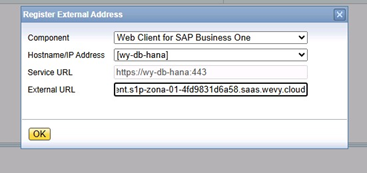
4. Configuration in Control Center
Go to the external mapping section in the Control Center and configure the Web Client.
5. Restart SAP Services
Restart the SAP services.

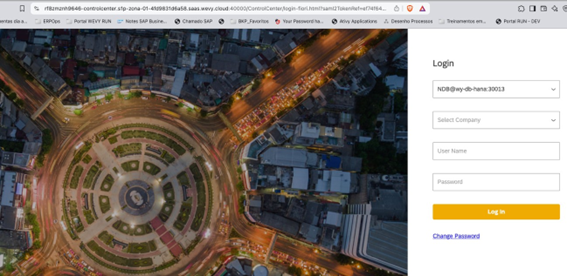
6. External Access
https://RF8ZMZNH9646-web-client.s1p-zona-01-4fd9831d6a58.saas.wevy.cloud/
7. Prerequisites for SAC/WebClient to Work in SAP Business One
For SAC/WebClient to function properly, you must also enable the Control Center and the Authentication Server.
- Refer to the documentation below to learn how to configure external access to the SLD.
Click here ➡️ Control Center Release